
Editor
In interaction web forms, an editor element displays a code editor with syntax highlighting, autocompletion, and a custom toolbar.
start:
  await:
    form:
      title: Editor Example
      elements:
        editor/prompt_query:
          label: Data query:
          syntax: cerb_query
          readonly@bool: no
          default@text:
            type:worklist.records
            of:ticket
            query:(
              status:o
              limit:10
            )
            format:dictionaries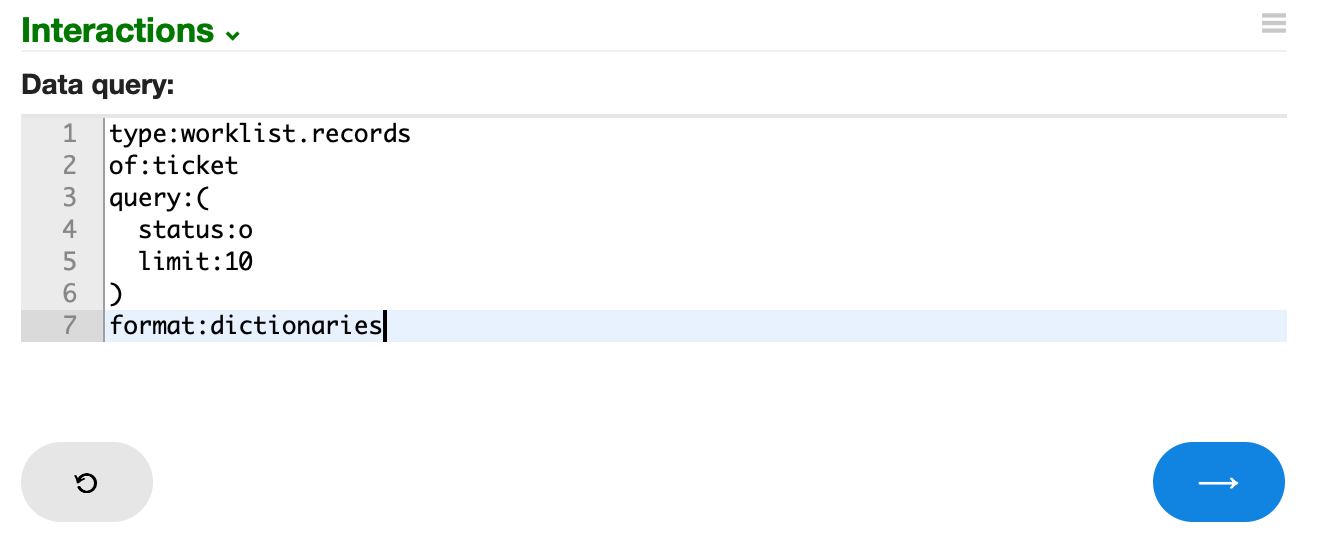
Syntax
label:
The optional label to display above the form element.
syntax:
The language for syntax highlighting and autocompletion.
| Language | |
|---|---|
cerb_query |
Cerb data query language |
html |
HTML (Hypertext Markup Language) |
json |
JSON (JavaScript Object Notation) |
markdown |
Markdown |
text |
Plain text |
yaml |
YAML (YAML Ain't Markup Language) |
When syntax: markdown is set, workers can paste images from the clipboard directly into the editor. The image is automatically uploaded as an automation resource and an internal URL is inserted at the cursor. The URL can be post-processed in automation scripting to retrieve the underlying resource by token.
default:
The default editor text.
hidden:
This form element can be conditionally hidden.
hidden@bool: {{not worker_is_superuser}}line_numbers@bool:
If no, the editor line numbers in the left gutter are hidden. They are enabled by default.
readonly@bool:
If yes, the editor contents may not be modified. Editors are readable by default.
required@bool:
If user input is required on this element use a value of yes. Otherwise, omit.
toolbar:
An optional toolbar to display above the editor. This triggers worker interactions.
Interactions started from this toolbar will have a caller of cerb.toolbar.interaction.worker.await.editor with these caller_params:
| Key | Description |
|---|---|
value |
The full content of the editor |
selected_text |
The selected text within the editor (if any) |
cursor_column |
The text cursor column (zero-based, left to right) |
cursor_row |
The text cursor row (zero-based, top to bottom) |
validation:
An optional custom validation script. Any output is considered to be an error.
You can use if...elseif to check multiple conditions.
editor/prompt_script:
  label: Script:
  validation@raw:
    {% if prompt_script is empty %}
    A script is required.
    {% elseif prompt_script|length < 25 %}
    A script must be at least 25 characters.
    {% endif %}