
Calendars
Calendars can plot any date-based record data on a familiar grid of months and days.
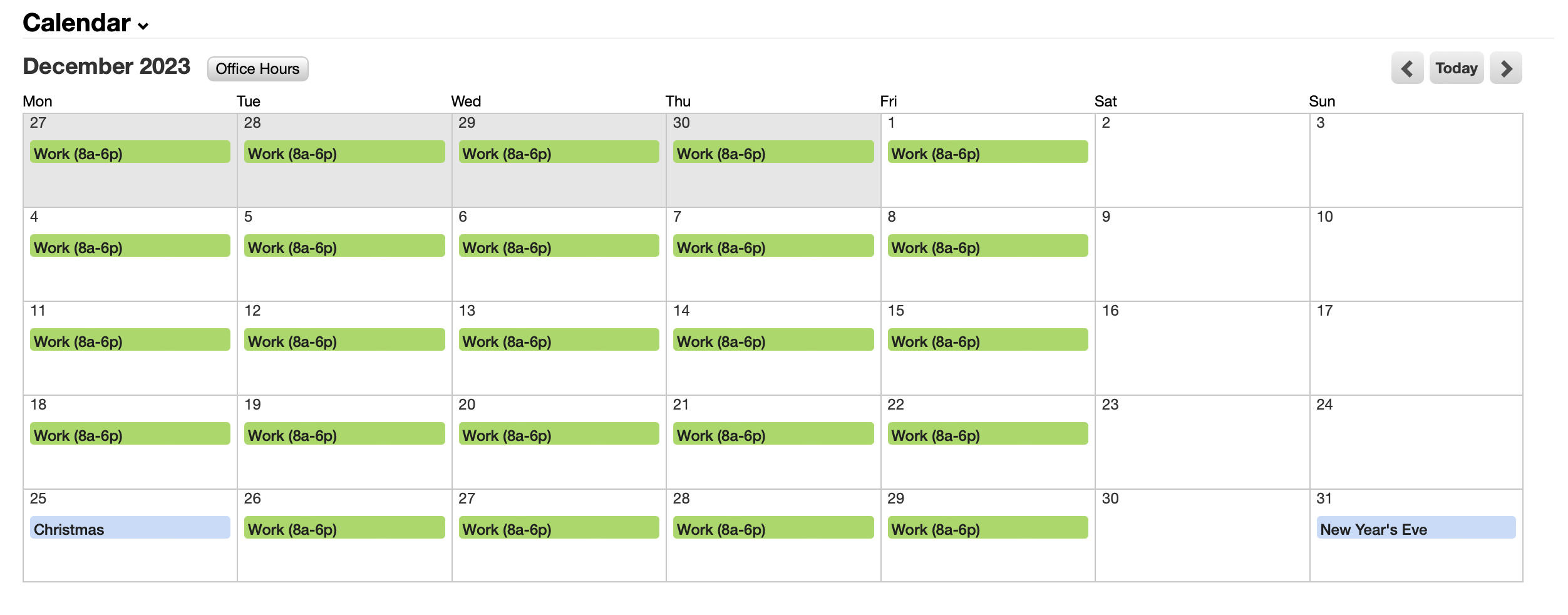
Recurring events
A recurring event describes something that happens on a schedule – a holiday, a weekly meeting, the hours a team is available – without creating a record for each occurrence.
Patterns
Recurrence is written as patterns, one per line. A day matches if any line matches it, so several lines act as "or".
A pattern is a date expression evaluated against each day in view:
December 25first Monday of every month
last Friday of every monthAlongside ordinary date expressions, a few forms are recognized:
| Pattern | Matches |
|---|---|
25, 1st, 3rd |
That day of the month |
weekdays |
Monday through Friday |
weekends |
Saturday and Sunday |
Easter |
That year's Easter, computed per year |
Easter -2 days |
Relative to it – Good Friday, in this case |
Start and end times are written the same way – 9am, 17:30, midnight. Leaving both empty makes the occurrence last the whole day. If the end resolves earlier than the start, as with a 6pm to 2am shift, the end moves to the following day.
recur_start and recur_end bound the series itself. Nothing is generated outside them, which is also how you retire a series without deleting its history.
Occurrences aren't records
Occurrences are generated when a calendar is read, for the range being viewed. No calendar event records are created, and every occurrence in a series shares the recurring event's ID.
You can't search or report on future occurrences. They aren't records, so a calendar event
worklist will never list them. They appear on calendar views and in
calendar.events data queries,
which read through the same path -- but nowhere that queries records directly.
Because there's no per-occurrence record, a single occurrence can't be edited or cancelled on its own. Editing the recurring event changes every occurrence – including past ones, since the grid regenerates them on each view. There's no record of what the series used to say.
To carve out an exception, bound the series with recur_start and recur_end, or add a one-off event over the top: a busy event can partially occlude an available one, which is how you punch a hole in a block of recurring availability.
Timezones
A recurring event's timezone determines when its occurrences fall.
Leave it empty and the event adopts the timezone of whichever calendar is asking. That's what lets one shared definition mean the local date everywhere, and it's the basis of the inheritance below.
Set it explicitly and the occurrence is a fixed instant – the same moment for everyone, displayed at whatever local time that works out to.
Inheriting from another calendar
A calendar can draw in events from other calendars, so one definition can serve many.
The classic case is a shared Company Holidays calendar. Give its recurring events no timezone, and each worker's calendar shows those holidays on the correct local date rather than at a fixed instant that lands on the wrong day for half the company.
In the interface this is synchronization rather than "inheritance" -- that's the word to search for. Nothing is copied, despite the name: the source is read live every time.
A calendar can draw from several sources at once, and a source calendar may itself draw from others. Avoid pointing two calendars at each other; a calendar can't be its own source, but a longer loop isn't worth constructing.
Alongside other calendars, a source can be a worklist – plotting task due dates or ticket SLAs onto the same grid.
What inherited events do
Inherited events merge in with the calendar's own, on the same days, and take their colors from the source calendar.
They're read-only: an inherited event has no link back to its source record, so there's nothing to click through to.
Most importantly, they count toward availability, and busy time subtracts from available time. An inherited busy event blocks the inheriting calendar exactly as one of its own would.
That subtraction is the real point of setting this up. Give a shared holidays calendar a busy event on December 25, inherit it from a calendar that marks weekdays as available, and that day stops being available on every calendar that inherits it – without editing any of them.
A calendar can also suppress its own events entirely and exist purely as a composition of other calendars.
Permissions
A recurring event's permissions come from the calendar that owns it – creating one requires write access to that calendar.
When choosing a calendar to inherit from, the list shows what the calendar's owner can read, not what you can. Editing a group's calendar shows the group's view, which may differ from your own.
Once configured, a source is read without re-checking permissions per view. The unit of access is the calendar.